How to Renew UiChemy PRO License?
Renew your UiChemy PRO license manually, or let auto-renewal handle it for you.
As a UiChemy PRO user, you may need to renew your license to keep receiving updates and support. Renewing is straightforward.
If you have auto-renewal enabled, you don't need to do anything, your subscription renews automatically.
Renew Manually
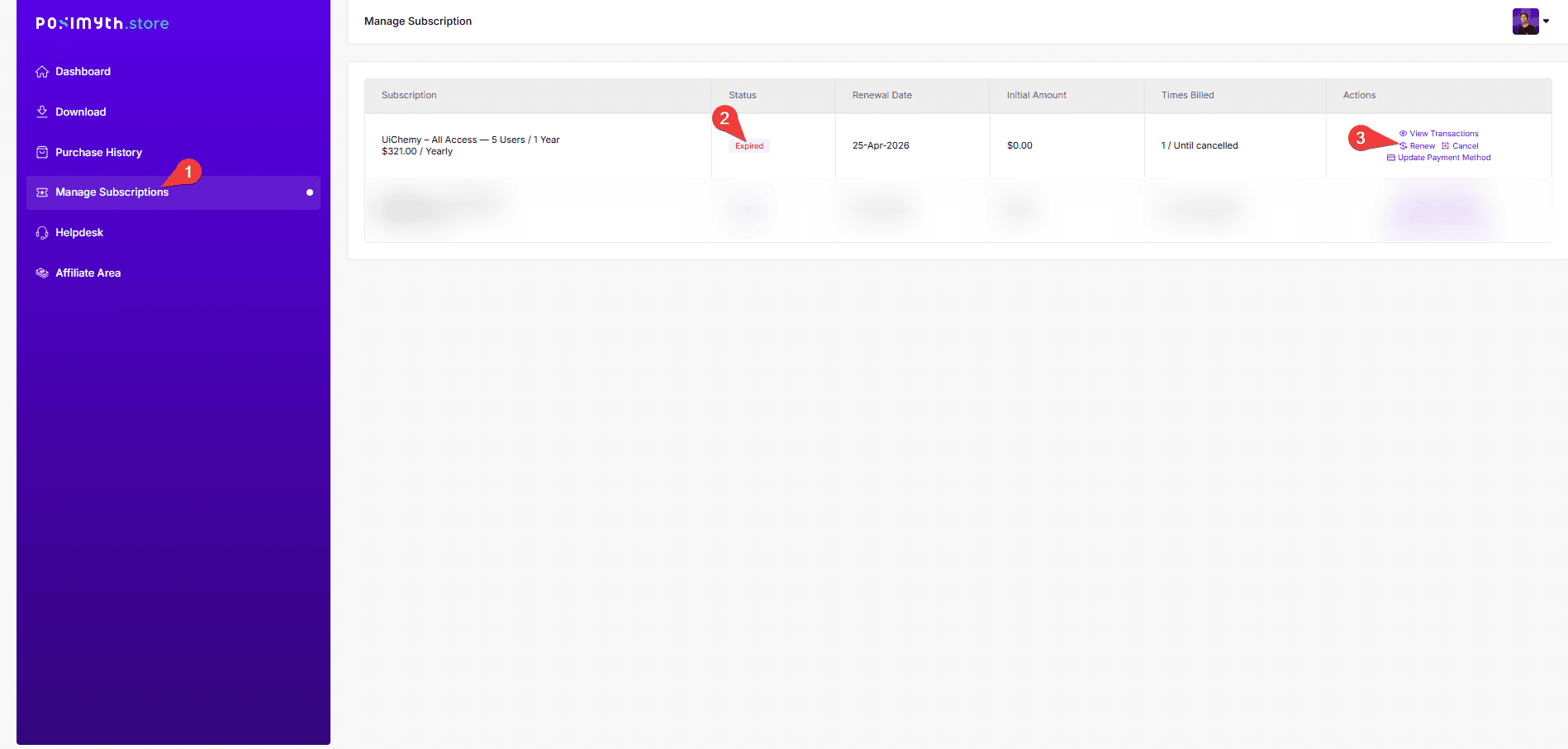
If you have manual renewal selected, follow these steps:
- Log in to your Posimyth Store account.
- From your Dashboard, go to Manage Subscriptions.
- Locate your expired subscription plan and click Renew.
- You'll be redirected to the checkout page to complete the renewal.
Frequently Asked Questions
What should I do if my UiChemy PRO license renewal fails?
Check your payment method for sufficient funds or an expired card, and confirm you're logged into the correct Posimyth Store account. If problems persist, contact customer support.
Can I renew my UiChemy PRO license if I have auto-renewal enabled?
No action needed, your subscription renews automatically, so you keep receiving updates and support without interruption.
Is there a specific time frame for renewing my UiChemy PRO license?
Renew before your current subscription expires, to avoid any gap in access to updates and support.
What are the steps to manually renew my UiChemy PRO license?
Log in to your Posimyth Store account, go to Manage Subscriptions, locate your expired plan, and click Renew.
Does renewing my UiChemy PRO license affect my existing designs?
No, your existing designs remain intact. Renewing just continues your access to updates and support.